


Description
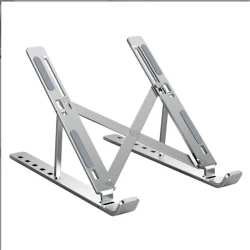
laptop stand
laptop stand designed to elevate and support a laptop for better ergonomics, airflow, and usability. Here are some key features and benefits of using a laptop stand:
Key Features
- Adjustable Height:
- Offers adjustable heights to accommodate different sitting or standing positions, promoting better posture.
- Ergonomic Design:
- Designed to reduce strain on the neck, back, and wrists by aligning the laptop screen with eye level.
- Ventilation:
- Stands often have open designs or cooling pads to improve airflow, preventing overheating during prolonged use.
- Portability:
- Lightweight and foldable options make it easy to transport for use in various locations.
- Stability:
- Sturdy construction ensures that the laptop remains stable, even when typing or using external devices.
- Cable Management:
- Some stands include features to help organize cables, reducing clutter on your workspace.
Benefits
- Improved Ergonomics: Helps maintain a healthy posture, reducing the risk of discomfort and injury.
- Better Cooling: Enhances airflow around the laptop, which can help improve performance and extend battery life.
- Increased Productivity: A more comfortable workspace can lead to increased focus and efficiency while working.
- Versatility: Many laptop stands can also accommodate tablets or other devices, making them multifunctional.
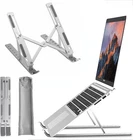
Types of Laptop Stands
- Fixed Laptop Stands:
- Non-adjustable and provide a stable surface at a set height.
- Adjustable Laptop Stands:
- Allow for height and angle adjustments to suit individual preferences.
- Portable/Folding Stands:
- Lightweight and compact for easy transport, ideal for travel.
- Cooling Stands:
- Equipped with fans or ventilation features to enhance cooling.
- Sit-Stand Stands:
- Enable users to switch between sitting and standing positions easily.